
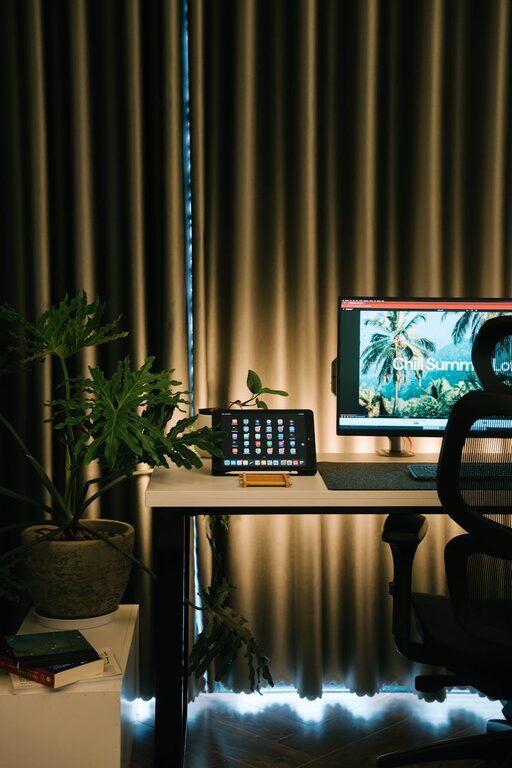
Creating a cozy and productive home workspace is essential for anyone working remotely or spending significant time on personal projects at home. A well-designed workspace can improve focus, boost creativity, and promote better work habits. Here are useful tips to help you create a home workspace that feels comfortable and encourages productivity.
Choose the Right Location
Find a Quiet Spot
Select a space in your home that is relatively quiet and free from distractions. This could be a spare room, a corner of your bedroom, or a nook near a window. Avoid high-traffic areas like the kitchen to minimize interruptions.
Consider Natural Light
Natural light helps reduce eye strain and boosts mood and energy levels. Position your desk near a window if possible, but avoid direct glare on your computer screen. If natural light is limited, invest in quality lighting that mimics daylight.
Invest in Ergonomic Furniture
Comfortable Chair
A supportive chair is crucial for long hours of sitting. Look for an adjustable chair with good lumbar support to maintain good posture and prevent back pain.
Desk at the Right Height
Your desk should allow your arms to rest comfortably at a 90-degree angle while typing. Adjustable desks or standing desks can offer flexibility and promote movement during the day.
Organize Your Workspace
Declutter Regularly
Keep your workspace tidy by removing unnecessary items. A clutter-free desk reduces distractions and creates a calm environment.
Use Storage Solutions
Incorporate shelves, drawers, or organizers to store stationery, documents, and supplies. Labeling boxes or folders helps keep things orderly and easy to find.
Personalize Your Space
Add Cozy Elements
Use soft cushions, a throw blanket, or a small rug to add warmth to your workspace. These touches make your area inviting and comfortable.
Include Plants
Indoor plants can improve air quality and bring a bit of nature indoors. Choose low-maintenance plants like succulents or small potted greenery.
Display Inspiring Items
Add photos, artwork, or motivational quotes that inspire you but avoid overcrowding your space.
Minimize Distractions
Set Boundaries
Inform others in your household about your work schedule to minimize interruptions. Use a “Do Not Disturb” sign if necessary.
Manage Noise
If ambient noise is a problem, consider noise-canceling headphones or playing gentle background music to maintain focus.
Optimize Technology and Tools
Reliable Internet Connection
Ensure your internet connection is stable and fast to prevent disruptions during meetings or work sessions.
Essential Equipment
Invest in quality peripherals like a good keyboard, mouse, and monitor. Position your monitor at eye level to reduce neck strain.
Cable Management
Keep cables and chargers organized with clips or sleeves to avoid a messy look and tangling.
Establish a Routine and Take Breaks
Consistent Schedule
Set regular work hours to create structure. Starting and ending work at the same time helps you maintain balance.
Take Regular Breaks
Use techniques like the Pomodoro method (25 minutes work, 5 minutes break) to stay fresh. Stand, stretch, and move around during breaks.
Keep Your Workspace Clean
Daily Wipe Down
Clean your desk surface daily to keep your space hygienic and inviting.
Air Circulation
Ensure proper air circulation by opening windows or using a fan, which helps maintain a refreshing atmosphere.
Final Thoughts
Creating a cozy and productive home workspace is about blending comfort with functionality. By choosing the right location, investing in ergonomics, organizing effectively, and personalizing your space, you can build an environment that supports your work while feeling inviting. Remember to set boundaries and routines that encourage focus and balance, making your home workspace a place you look forward to spending time in every day.